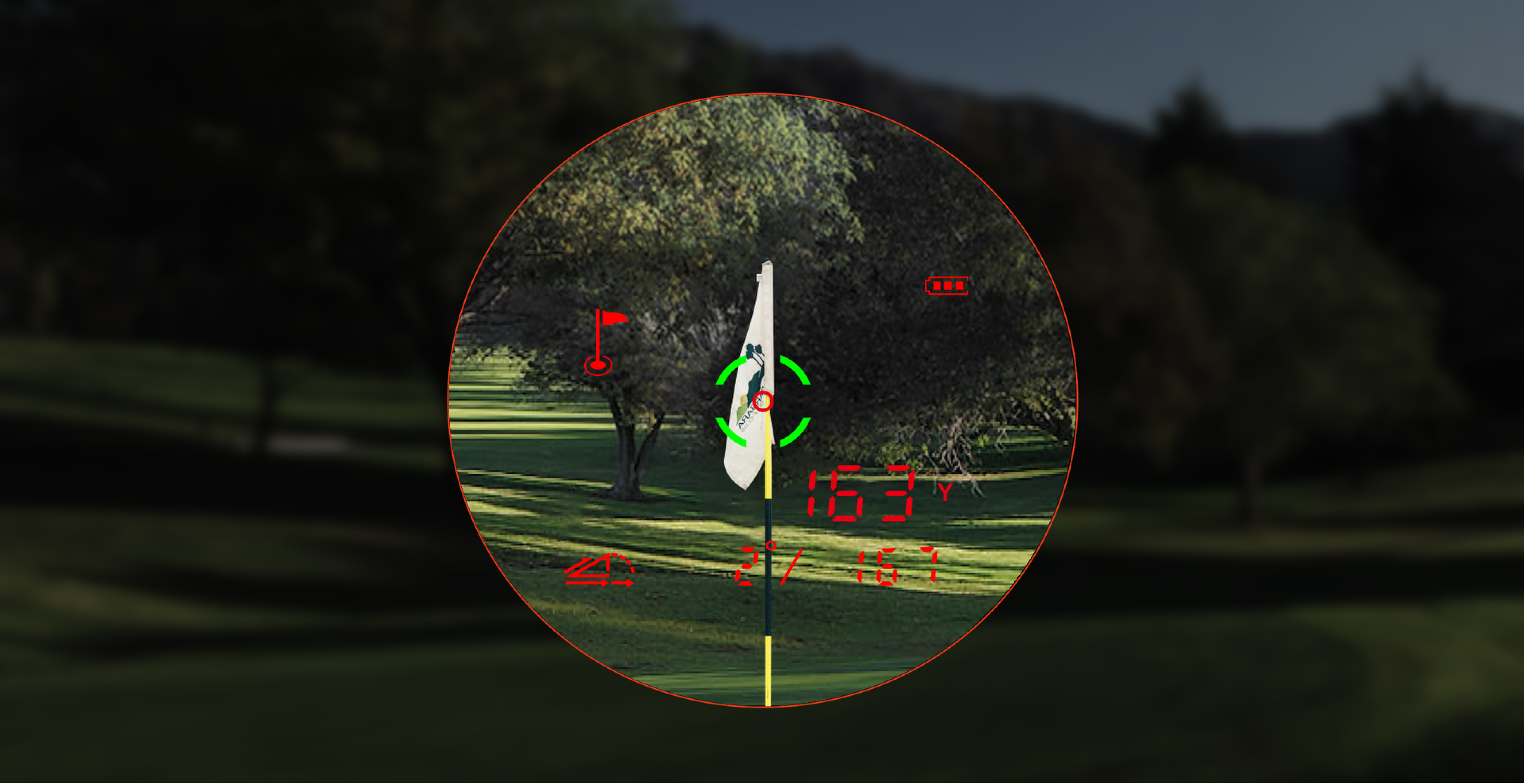
When a golf rangefinder keeps returning the trees behind the green, the device may be working exactly as designed—it is measuring the strongest target in its beam. Flag lock is the process of helping the device separate a small foreground flag from a larger background, and it depends on distance, contrast, steadiness, mode, and weather.
Our position is that flag-lock troubleshooting should begin with technique and target conditions, then move to the model’s documented capability. It should not begin with shaking the device, tapping the lens, or assuming every vibration represents the flag.
The five-minute flag-lock drill
- Choose a moderate-distance flag. Start well inside your model’s published flag-lock range.
- Brace your elbows. Use your torso, a cart frame, or a stable post without blocking the optics.
- Select flag-lock or scan mode. Confirm you are not in single-measurement or an unrelated specialty mode.
- Start beside the flag. Aim at a high-contrast point near it, then sweep slowly across the flag while holding the measure control as the manual directs.
- Repeat from the other side. Two close readings that are shorter than the obvious background are stronger evidence than one vibration.
The full diagnostic sequence is in the golf rangefinder troubleshooting guide. If the drill gives stable wall readings but not flag readings, you have isolated a target-acquisition problem rather than a general power or distance problem.
Why a slow sweep works
A flag occupies a small part of the viewing field. At 200 yards, even a small hand movement shifts the beam across a wide area. Beginning beside the flag and sweeping across it gives the device a sequence of returns rather than demanding perfect alignment in a single instant. Flag-seeking logic can then distinguish a nearer target from a farther background.
Move slowly enough to cross the flag, not the entire tree line. A fast sweep generates many unrelated targets. A stationary hold can also fail if the beam begins on the background and never gets a clean flag return.
Editorial simulation: flag at 175, trees at 193
This is a simulated field scenario, not a report of a first-party product test.
A player receives 193 yards three times while aiming at a flag that visually appears near 175. The background is a dark tree line. Option A is to trust the vibration and hit for 193. Option B is to brace, enter flag-lock scan mode, begin on the bright bunker edge, sweep across the flag, and repeat from the opposite side.
The second method returns two values near 176 and one at 193. The practical decision is not that 176 is guaranteed correct; it is that the readings form two target groups. The shorter repeated group is consistent with the foreground flag, while 193 is consistent with the trees. If the grouping remains unclear, the player should use a larger nearby target or GPS context rather than force certainty.
Use this symptom matrix
| Symptom | Likely reason | Test |
|---|---|---|
| Always gets the longer background | Beam starts or stays behind flag | Slow side-to-side scan across the flag |
| Works at 120 yards but not 300 | Target size, steadiness, atmosphere, or model limit | Test intermediate distances and a larger target |
| Vibrates but number changes widely | Different targets are triggering lock | Repeat from both sides; look for a stable shorter group |
| Fails only in rain or fog | Water droplets and reduced contrast affect return | Use the model’s documented weather mode, if available |
| Locks but no vibration occurs | Vibration setting, battery/load issue, or hardware | Verify mode/settings and test on an easy target |
Know the model’s published flag-lock boundary
Current official support specifications list different maximum flag-lock ranges across MILESEEY Golf rangefinders:
- MILESEEY PF260 Tour: up to 350 yards.
- MILESEEY IONME2: up to 450 yards.
- MILESEEY GenePro G1: up to 600 yards.
- MILESEEY GenePro S1: up to 690 yards.
These are official specifications, not a promise that every device will lock every flag at the maximum distance. A limp dark flag, backlight, rain, hand movement, and dense background can make an in-range target difficult. Use the numbers to set expectations and choose a fair test.
Weather and contrast are part of the measurement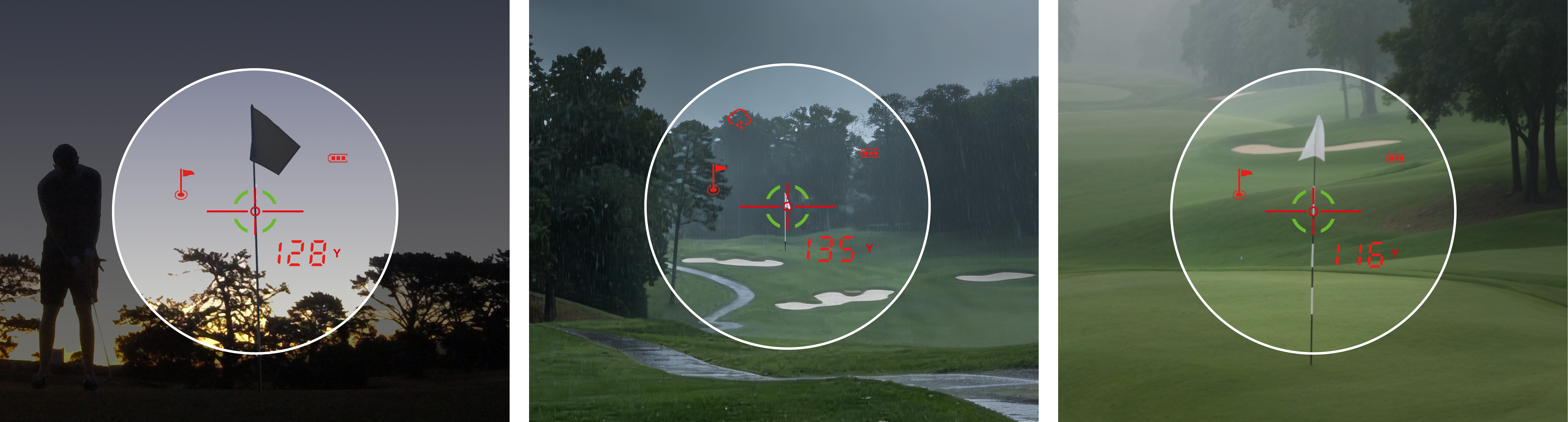
Mist, rain, and fog scatter light and can reduce clean target returns. Bright backlight can make the flag visually hard to separate. The GenePro G1 support page recommends Rain & Fog mode in poor weather, and the current product data also lists weather-filtering modes for GenePro S1 and IONME2.
Only use a mode your model actually provides. A weather mode can improve filtering; it cannot make a flag infinitely reflective or eliminate severe atmospheric limits.
What vibration does—and does not—prove
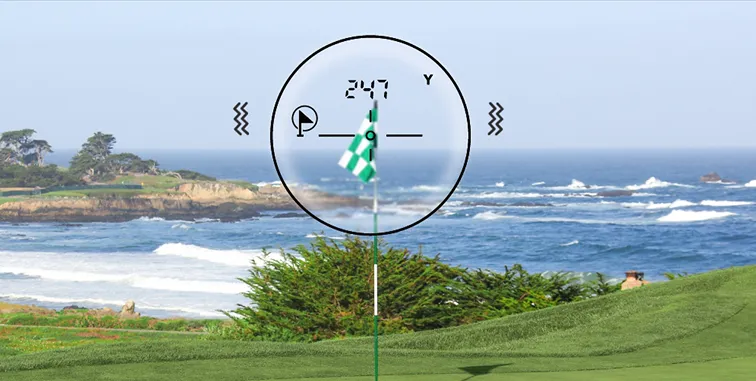
Vibration is feedback that the device’s lock condition was met. It does not independently identify the physical object. Confirm the number by repeating the scan, comparing it with the visible background, and using course context. If vibration disappears while distances remain stable, test an easy flag at short range and verify that flag-lock mode is active. If the device also powers off during vibration or laser use, run the power diagnostic.
What usually goes wrong
- Aiming at the flag and pressing once without scan mode.
- Starting the scan on the tree line instead of beside the flag.
- Testing near the published maximum before testing at moderate distance.
- Using one vibration as proof instead of repeating the number.
- Ignoring rain, fog, backlight, or a dirty exterior lens.
- Comparing a laser flag distance with a GPS center-green number as if they share a target.
When this advice does not apply
Do not continue field testing after impact damage, internal condensation, a cracked lens, or obvious display failure. This drill also cannot overcome a target beyond the model’s documented capability. If the device fails to lock a large high-contrast target at short distance, or produces unstable values on a wall, the issue is broader than flag technique.
Escalate with evidence
Record the model, distance estimate, weather, target background, mode, battery state, and a short through-the-eyepiece video if practical and safe. Note whether it locks a wall, a reflective sign, and a moderate-distance flag. That three-target comparison helps support distinguish technique, environmental limits, and hardware.
If the flag locks consistently but the value still appears wrong, run the seven-check distance baseline. If the reticle or target cannot be seen clearly enough to aim, use the focus-versus-display isolation test.