Explore MILESEEY Golf App 2.0 Now Learn More >
Cart
Your cart is currently empty.
Continue shopping

MILESEEY GOLF APP

MILESEEY Golf App 2.0

Your Smartest Golf Companion Just Got Even Better

The all-new Mileseey Golf App 2.0 is your all-in-one GPS golf companion, built to guide your game, elevate your strategy, and make every round smarter and more enjoyable.

Supported Products: GenePro G1 | GenePro S1 | GeneSonic Pro

*Updated to 2.0 with exciting features.

MILESEEY Golf App 2.0

Your Smartest Golf Companion Just Got Even Better

The all-new Mileseey Golf App 2.0 is your all-in-one GPS golf companion, built to guide your game, elevate your strategy, and make every round smarter and more enjoyable.

Supported Products: GenePro G1 | GenePro S1 | GeneSonic Pro

*Updated to 2.0 with exciting features.

Global Course Data

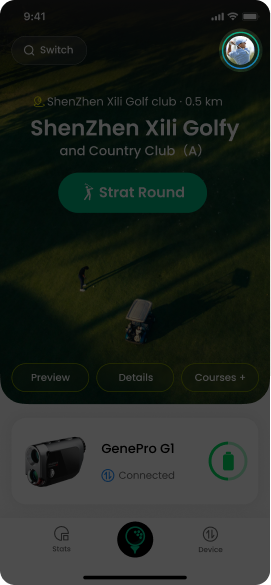
Access over 43,000 golf courses worldwide with richer, more detailed layouts and up-to-date information—so you’re always prepared, no matter where you tee it up.
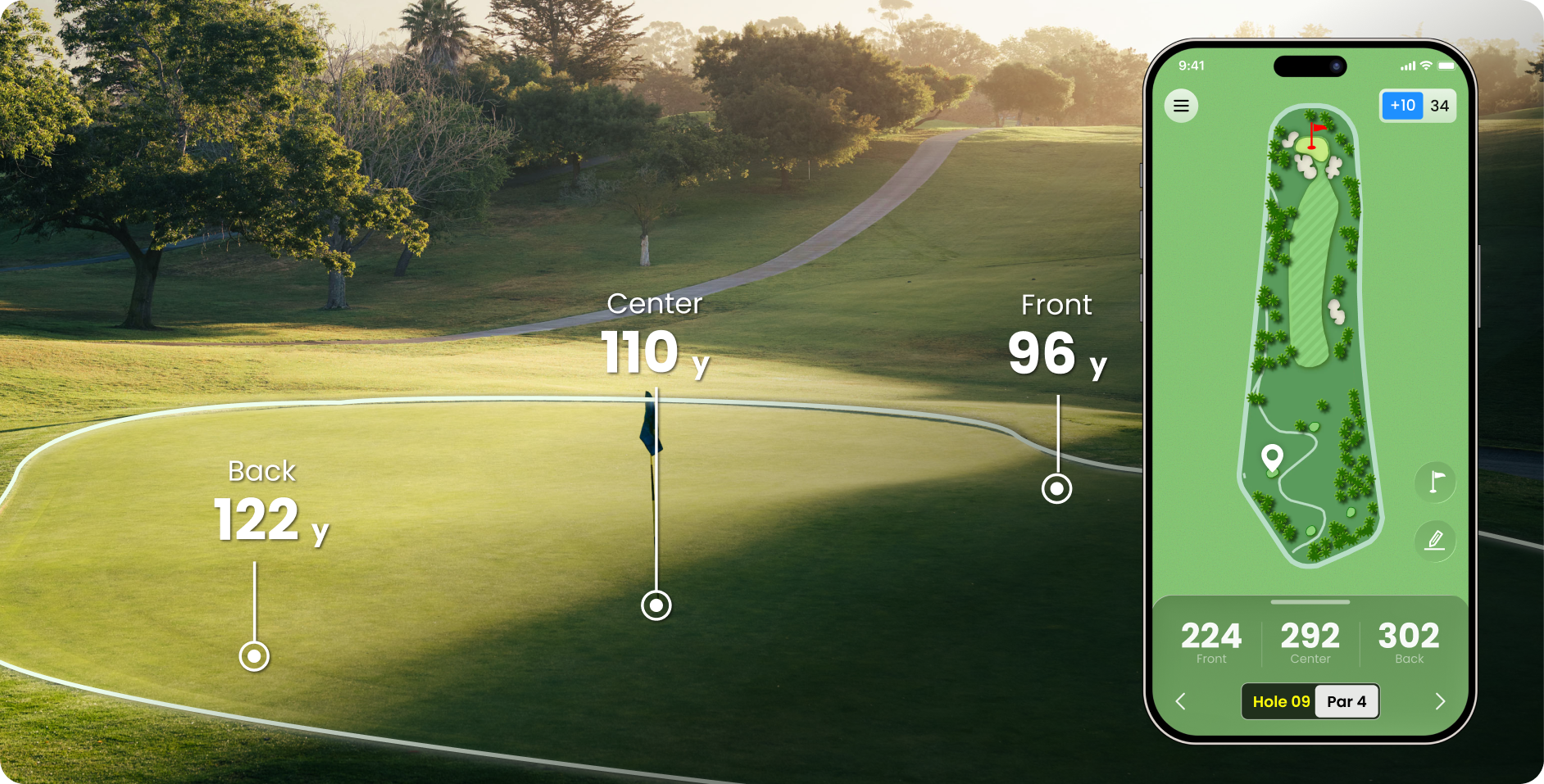
Dynamic F/C/B Yardages

Get precise GPS distances to the front, center, and back of every green. This accurate yardage information helps you make smarter club selections and approach every shot with confidence.
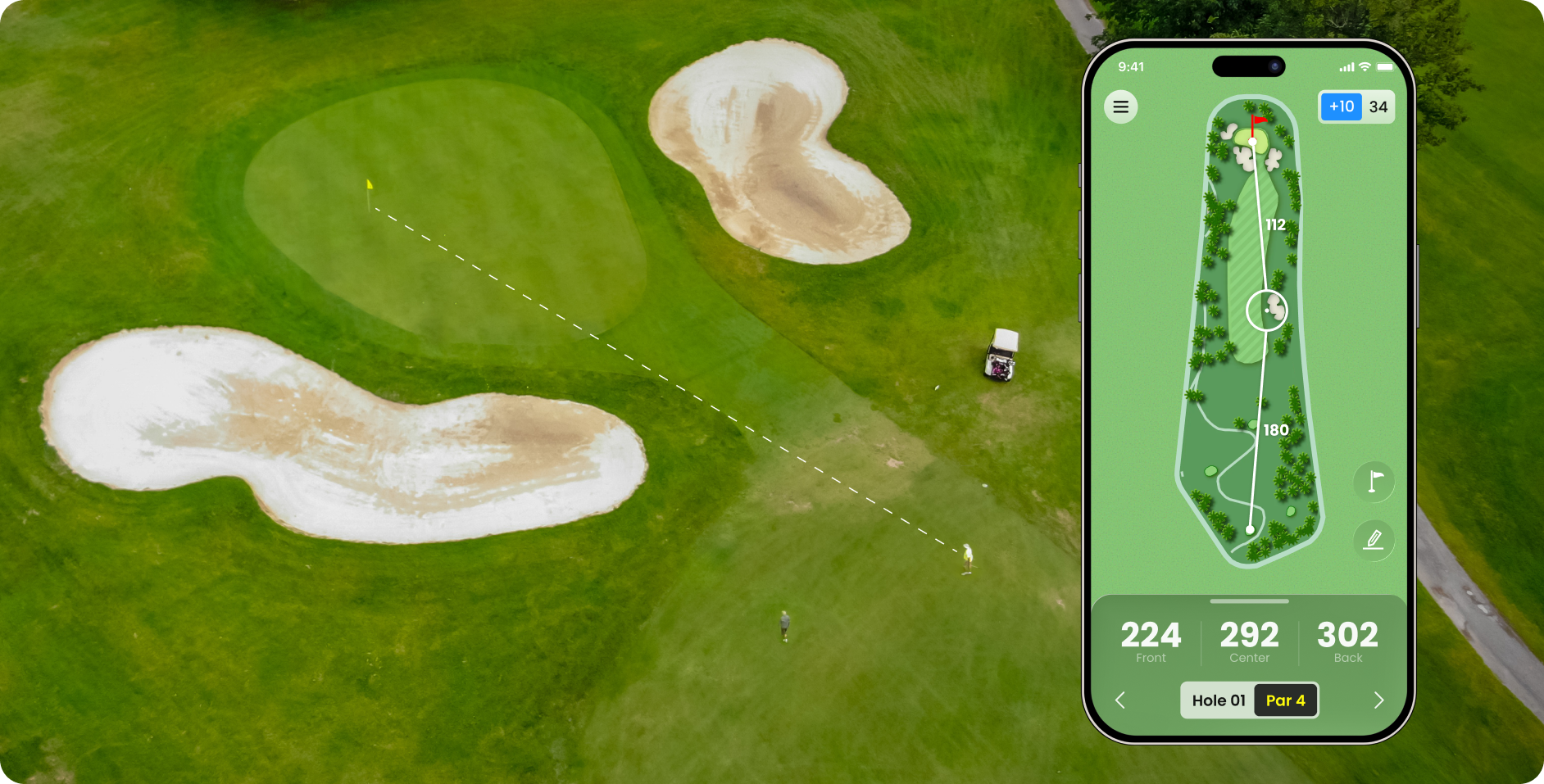
Real-Time Hazard Intelligence

See live distances to bunkers, water hazards, out-of-bounds, and other trouble spots in real time. Avoid costly mistakes and play more strategically by knowing exactly where the danger lies.
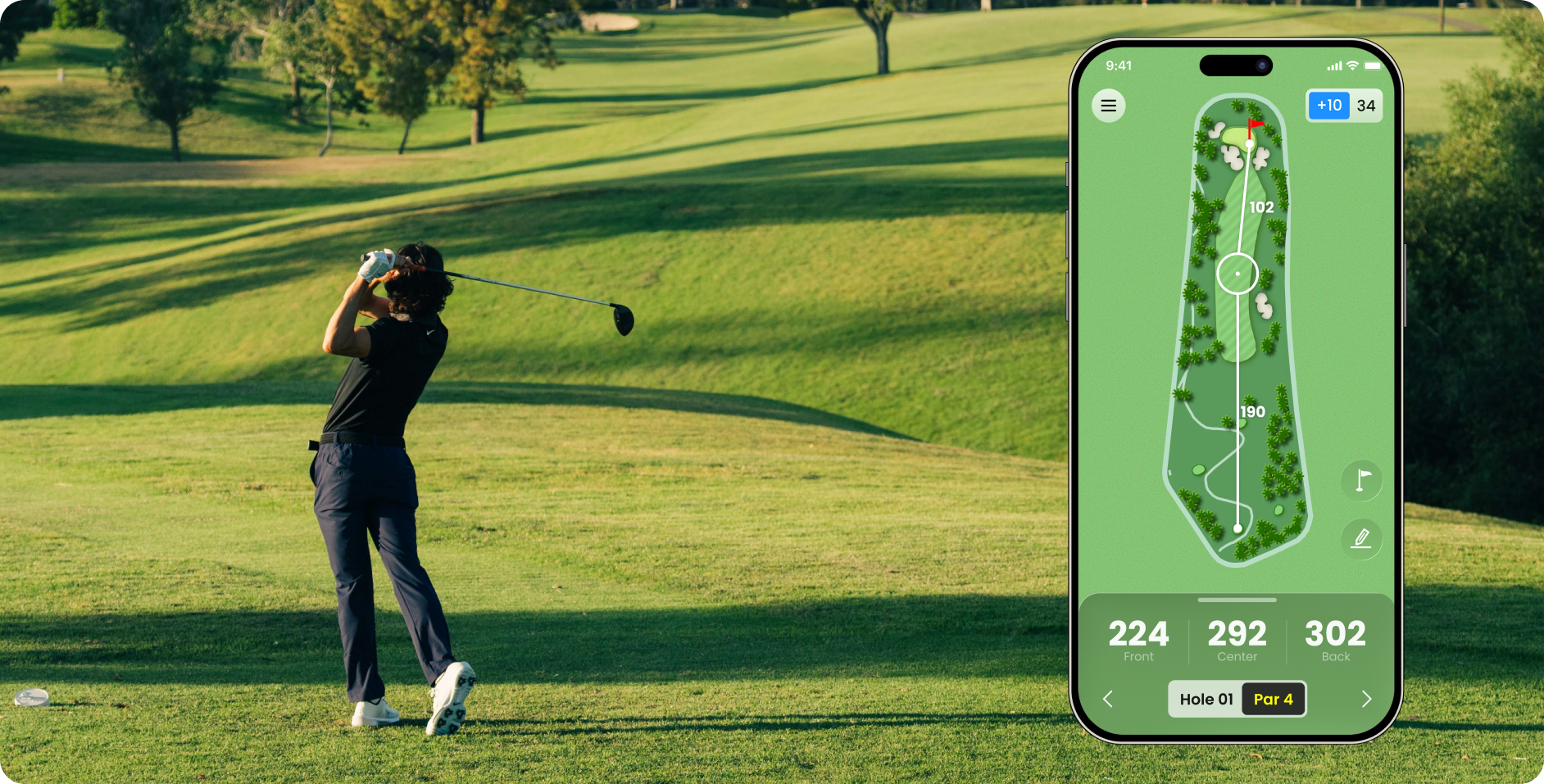
Smart Shot Planning 2.0

Drag and drop movable markers to visualize your ideal shot paths, test different strategies, and plan every approach like a pro. Turn guesswork into game-winning decisions.
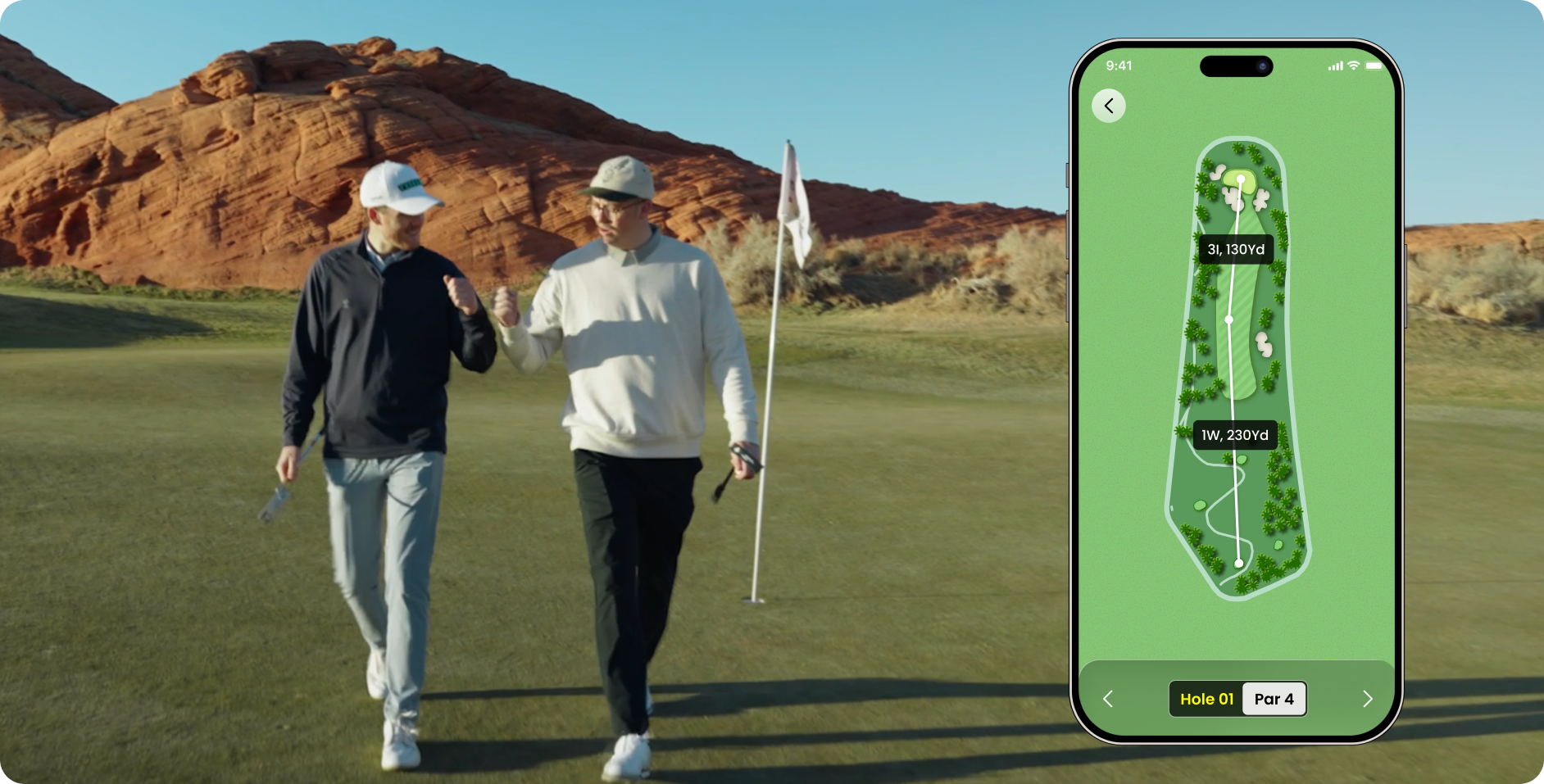
Advanced Round Tracking

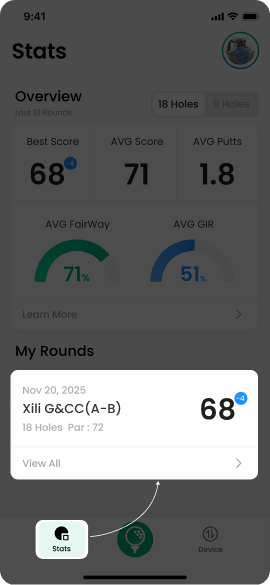
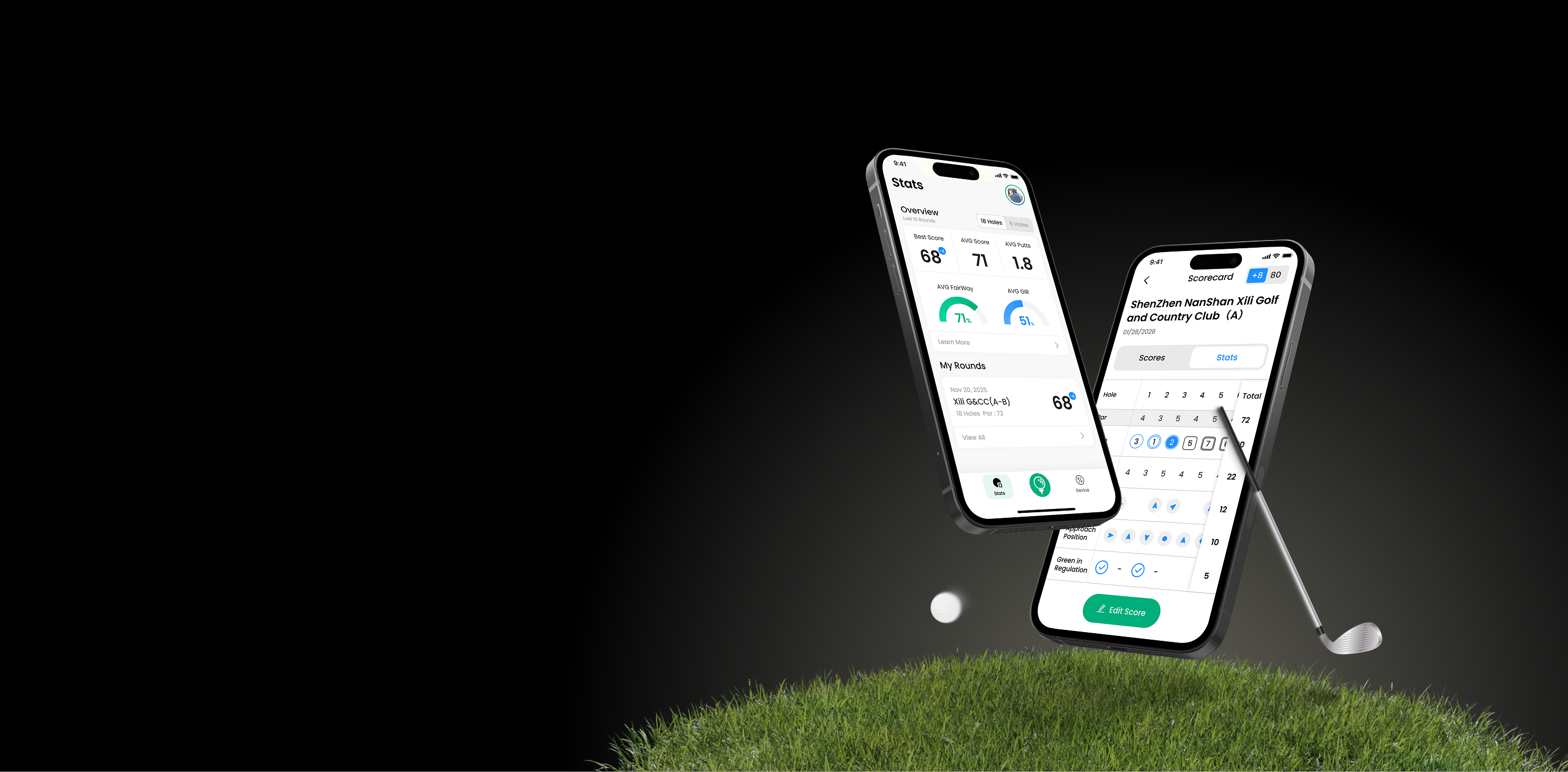
Easily log your key stats during the round with minimal distraction. Track fairways hit, greens in regulation, putts, and more for a complete picture of your performance.
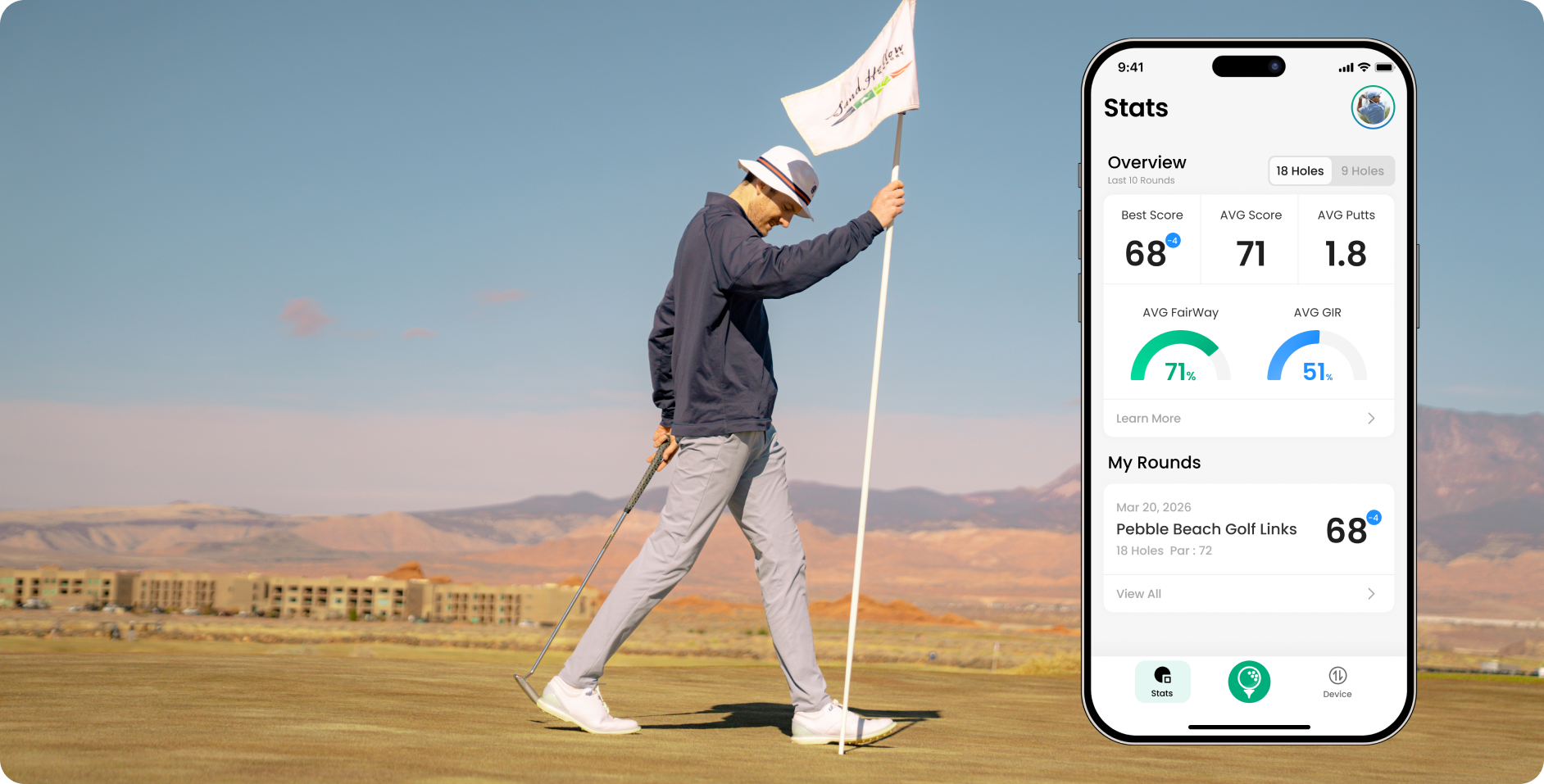
Performance Insights & Trend Charts

Automatically generate powerful performance trend charts that highlight your strengths, weaknesses, and progress over time. Spot patterns, celebrate improvements, and focus your practice where it matters most.
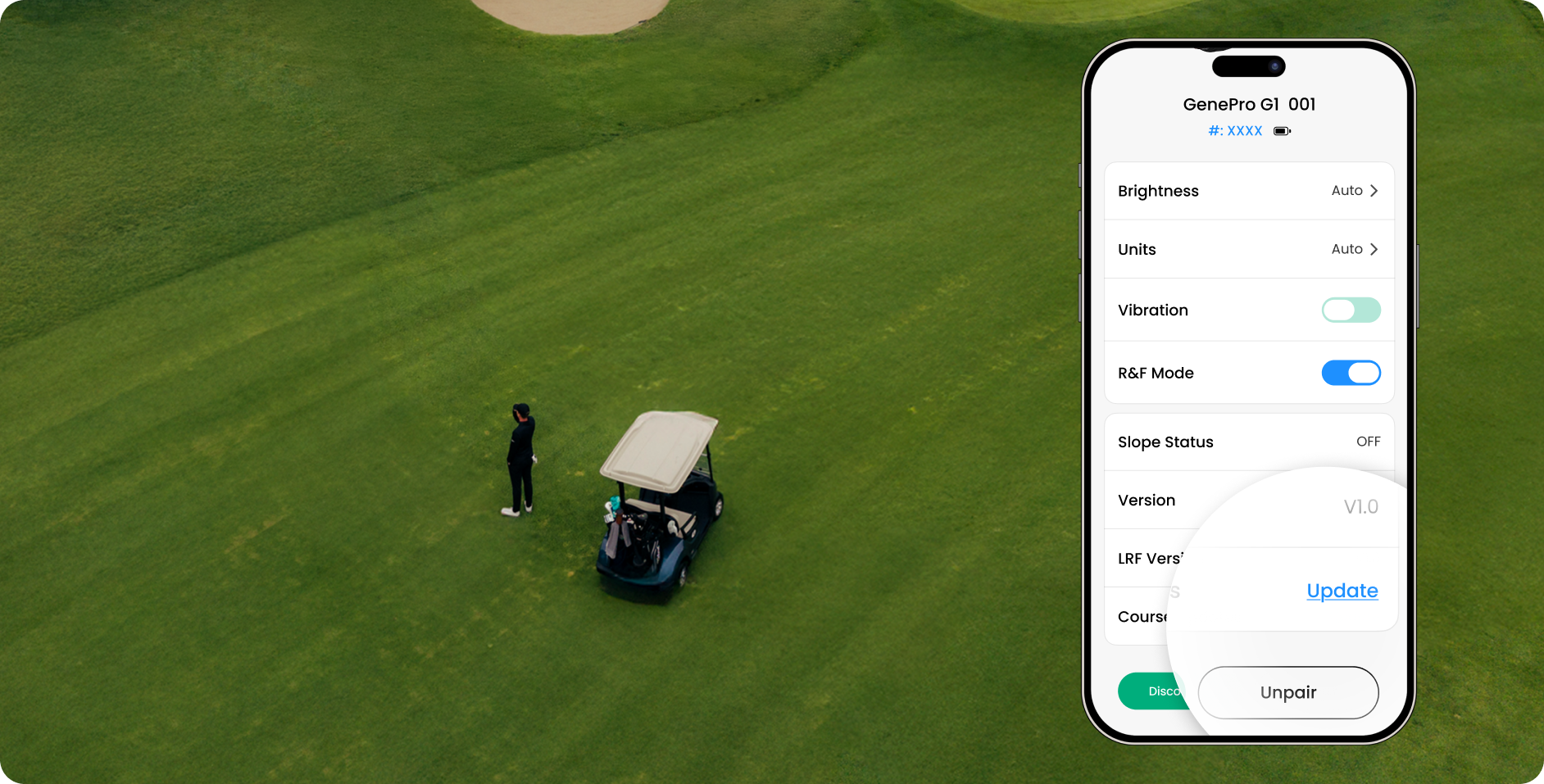
Effortless. Always Up to Date.

Free over-the-air updates keep your app and connected devices fresh with the latest course data—no subscriptions, no hassle.
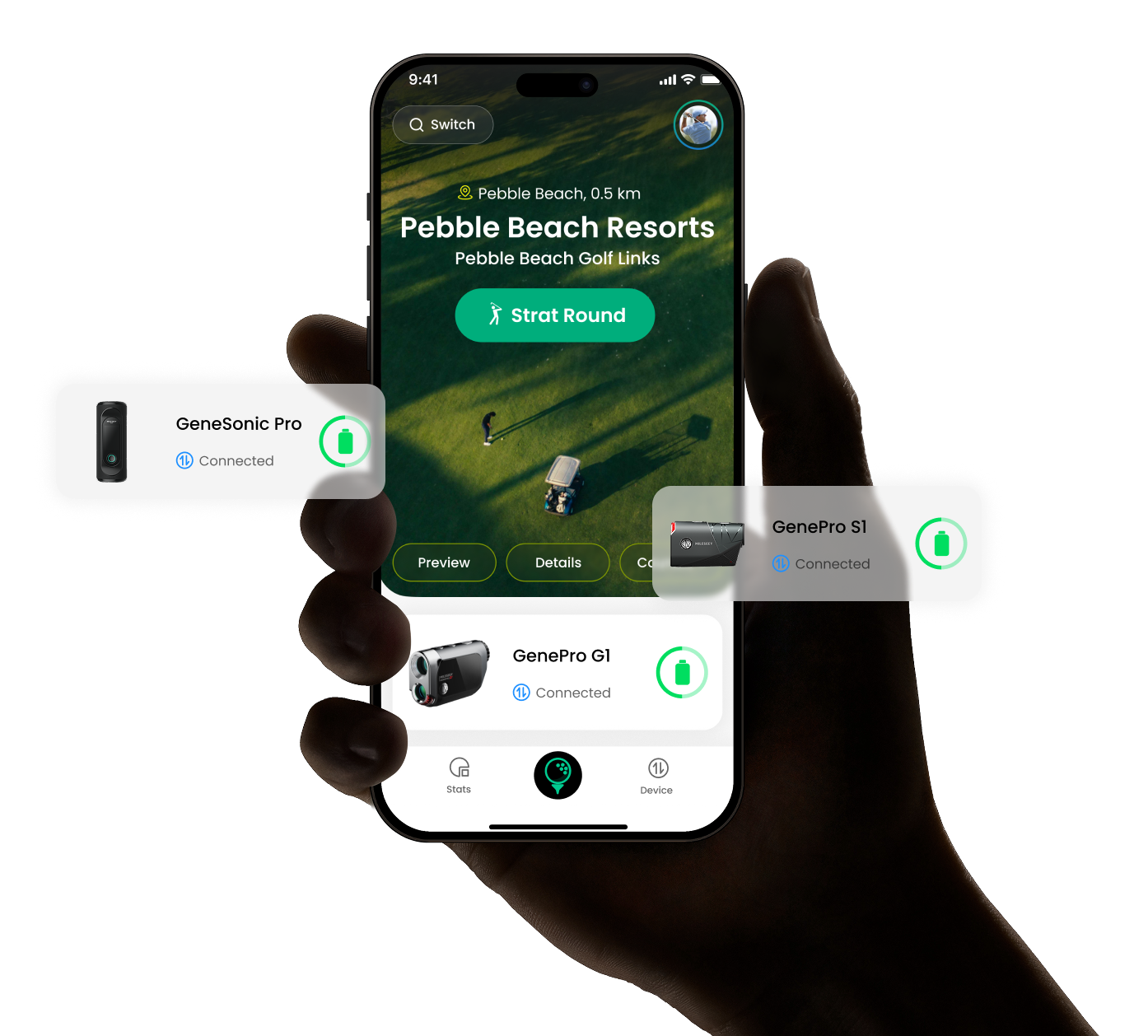
Data Privacy You Can Trust

We prioritize your security. Data collection and sharing practices are transparent and may vary by region—full details available in the app.

*No data collected or shared with third parties.

FAQ

Installation & Account

How do I download and install the Mileseey Golf App?
You can find the Mileseey Golf App on the App Store (iOS) or Google Play (Android) — just search MILESEEY GOLF. If it’s not available in your region, visit mileseeygolf.com/pages/app-download to download the APK file. Seeing “Item not found”? That means your region isn’t supported yet — try the international version or use the official link above.
The App won’t open or keeps crashing — what should I do?
Make sure your phone runs iOS 13+ or Android 8.0+, and that the App has Bluetooth, Location, and Storage permissions enabled. If the issue continues, clear the cache or reinstall the latest version.
I can’t register or log in — what should I check?
First, make sure your internet connection is stable. If the verification code doesn’t arrive, check your spam folder or wait a few minutes before trying again. You can also sign in with Facebook or Gmail for convenience.
Load More Show Less

Bluetooth & Data Sync

How do I connect my device to the App? (e.g. GenePro G1)
You can connect your G1 in two ways:
Method 1:
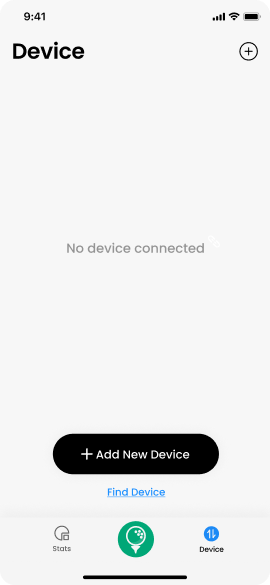
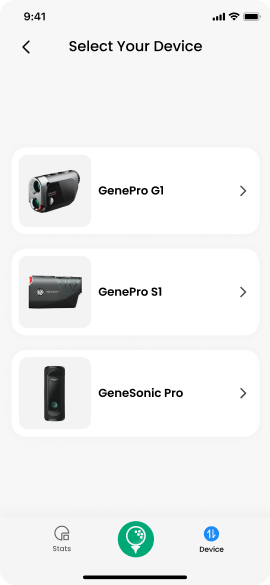
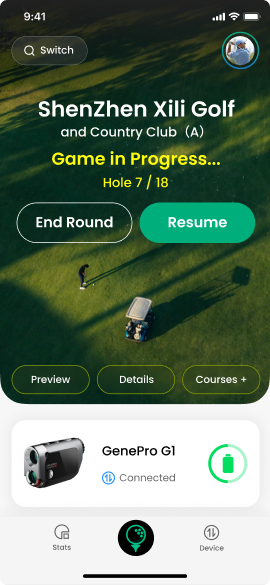
  • Open the App, tap Device+ Add New Device → select GenePro G1Bluetooth.
  • Power on your GenePro G1, enable Bluetooth in the settings.
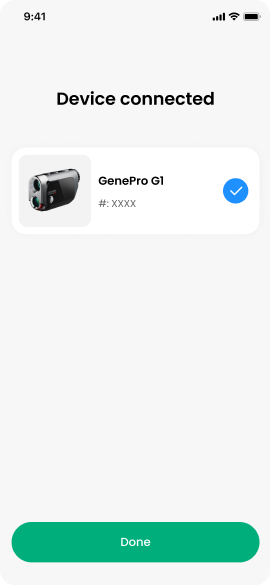
  • After successful connection, tap Done.

Method 2:
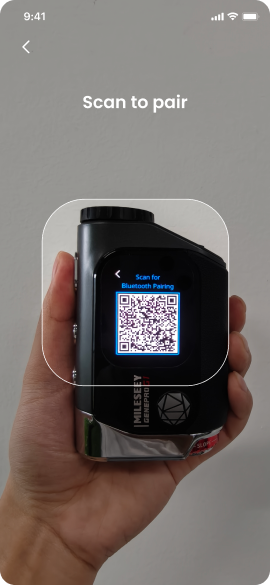
  • Open the App, tap Device → + Add New Device → select GenePro G1 → Scan QR.
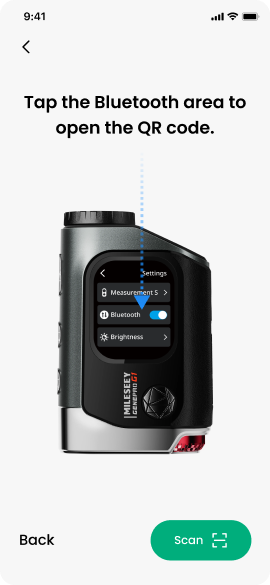
  • Power on your GenePro G1, enable Bluetooth in the settings.
  • Scan the QR code shown on your GenePro G1's display to connect.
  • After successful connection, tap Done.

💡 Tip:
Make sure your phone’s Bluetooth is enabled and keep the G1 close to your phone during pairing.
Why can’t I scan the QR code on the manual or box?
That code is only for downloading the App, not for connecting your device. Once you’ve installed the App, open DEVICE, select “GenePro G1 Laser Rangefinder” and follow the prompts to connect. If the QR code won’t scan, just search “MILESEEY GOLF” directly in your app store.
Bluetooth is connected but no data appears — what should I do?
Make sure the App has Bluetooth and Location permissions. If data still won’t sync, remove the G1 from your phone’s Bluetooth list and reconnect it through the App.
Load More Show Less

Features & Settings

Does the App include GPS course maps?
Yes. The Mileseey Golf App supports over 43,000 golf courses worldwide.It automatically locates your course and records each shot, distance, and score.
How can I review my past games or rounds?
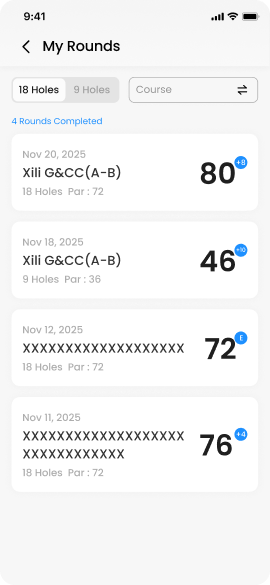
You can review your past rounds by following these steps:
  •  Open the App and tap SCORE.
  • Select the one you want to review under My Rounds.
  • Tap to enter the scorecard of that round.
How do I change the distance unit between yards and meters?
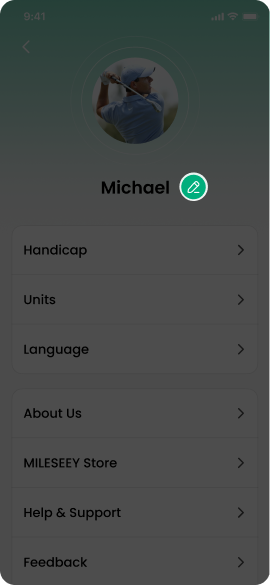
Open the app → tap your avatar on the top right corner → tap Units → select feet (Ft), yard (Yd) or meter (M).

Load More Show Less