
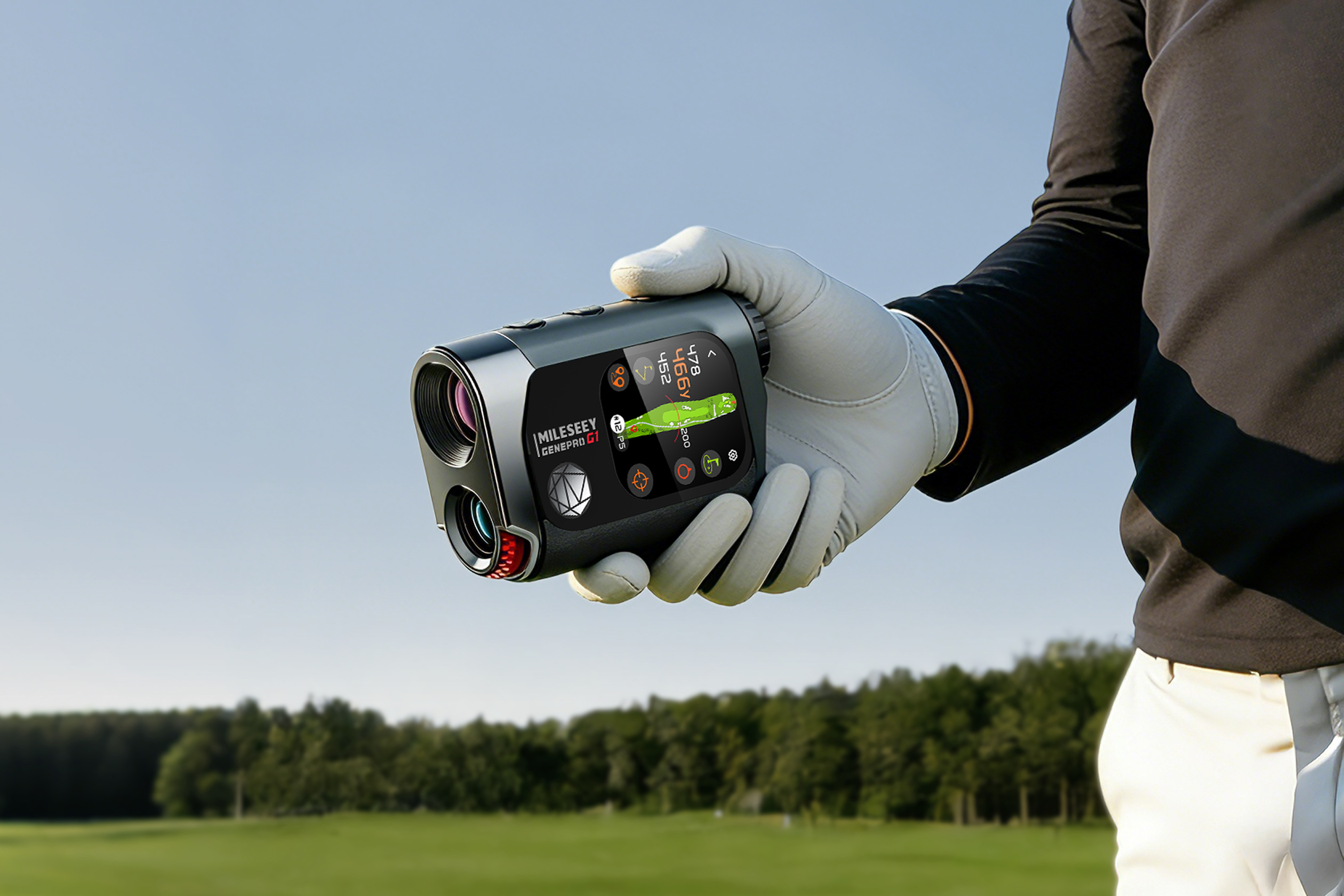
I’ve used a lot of rangefinders over the years, mostly basic point and shoot lasers so when I tested the Mileseey GenePro G1 I wasn't sure about whether a color GPS touchscreen on the side of a laser was necessary. After 18 holes I can see how It might solve a problem on the course.
What I Liked
The Side Screen is helpful: Usually, if you want a hole layout or front/back green numbers, you’re pulling your phone out of the cart or looking at a smartwatch. The screen on this gives you full-color hole maps so no pulling out my phone every two minutes.
Cart Path Triangulation: This is one of the best features. On cart path only days, you can stand by the cart, shoot your ball in the fairway, shoot the flag, and the G1 calculates the distance between the two. You know exactly which club to take across the fairway instead of grabbing three and hoping for the best.
Fast, Sharp Optics: The glass is crisp, the red OLED display inside the viewfinder is super easy to read in direct sunlight, and the pin-lock vibration is instantaneous. It outperforms my Bushnell and Cube rangefinders.
Real Slope Adjustments: It handles elevation changes seamlessly, but it also factors in temperature and humidity, which makes a noticeable difference on those early morning rounds where the air is heavy. A cool and convenient feature is that you can switch slope on/off by twisting the silver ring under the lens barrel.
What I don't like
Where’s the Magnet? For a $500 rangefinder loaded with all this tech, omitting a built-in cart magnet is a huge disappointment. You’re forced to toss it in a cup holder or buy the magnetic case as only the non-magnetic case is included in the basic set. The ability to have it readily available on the cart frame is something I've gotten used to. I've found it easier to just put it in my back pocket.
On screen navigation: The small touchscreen works well when I can get it to scroll. Trying to navigate menus or adjust layups while wearing a golf glove can be a pain. A couple of times it didn't automatically advance to the next hole, so I had to swipe it manually. There is a learning curve when it comes to using the touch screen.
When on the green not having a ball to pin distance in feet and inches. As a person who walks off their putt distances prior to putting this is something that is quite important to me. My DG-200/ION ME2 provides this and is probably one of the most useful features to me.
Overall if you’re like me who frequently checks app maps for layups, hazard carries, and back-of-the-green numbers while also wanting pinpoint laser accuracy to the pin, the GenePro G1 legitimately replaces two or three different gadgets in your bag. It’s expensive, but the tech-heavy rangefinder is worth it.
By Rob Bloom
GenePro G1 User & Golfer
