You bought the rangefinder. You used it for 18 holes. You threw it in the cart bag and forgot about it.
Three months later, the lens has a smudge you can't get off, the unit dies on hole 17, and the firmware is two versions behind. Sound familiar?
Here's the thing: a golf rangefinder isn't a "set it and forget it" tool. It's a precision optical device with electronics, a rechargeable or CR2 battery, moving parts in the focus wheel, and a sealed housing that isn't actually as sealed as the marketing says. The good news? Five minutes of basic care once a month will keep it locking flags, holding zero, and lasting 5+ years. The bad news? Most golfers don't do any of it.
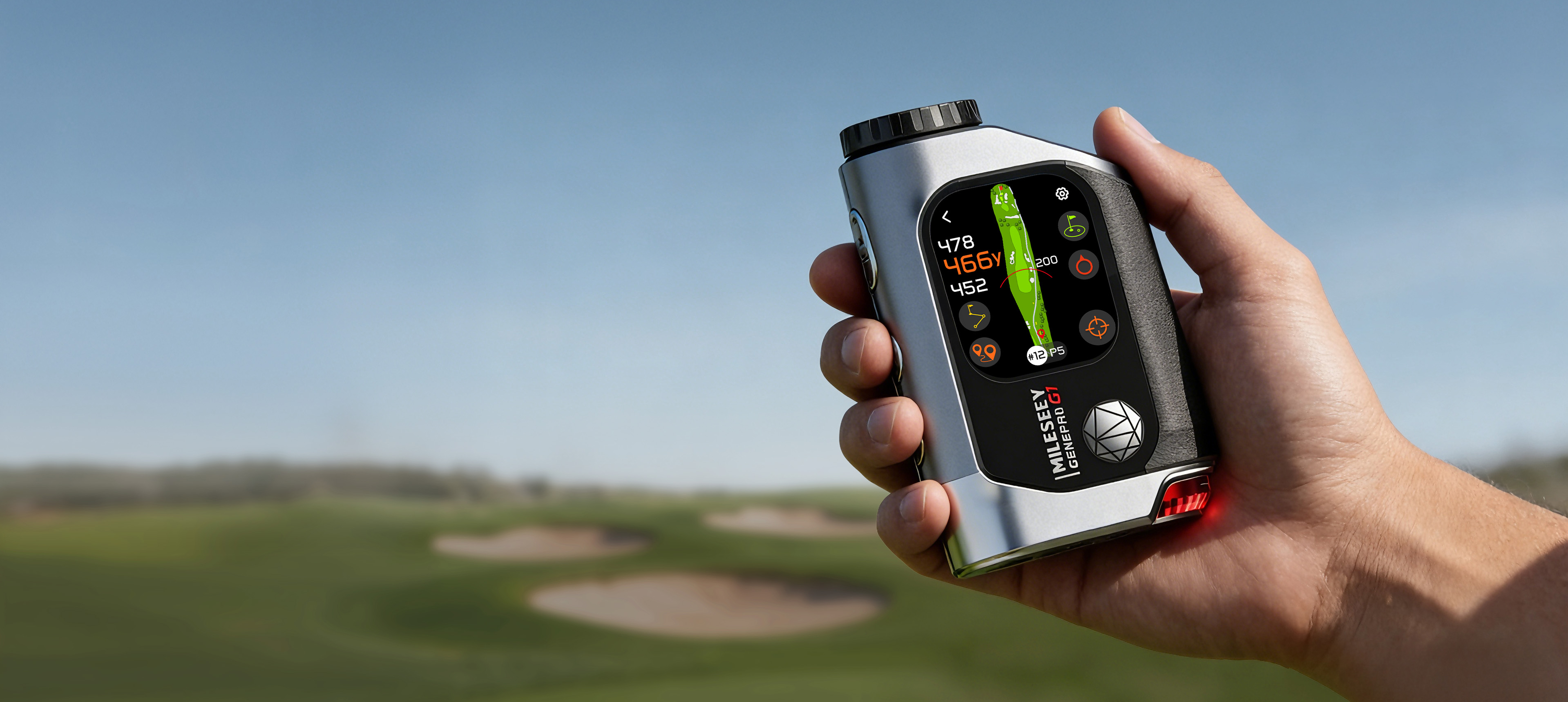
This guide covers everything we tell MILESEEY owners to do. It works for any modern laser rangefinder — Bushnell Tour V7, Garmin Approach Z30, Nikon Coolshot, the MILESEEY GenePro G1, and the rest of the 2026 class. We use the GenePro G1 (and its brother, the GenePro S1) as concrete examples because that's what we can crack open, photograph, and re-test, but the principles apply to all of them.
By the end, you'll have a 5-minute monthly care routine, a 30-minute seasonal reset, and a clear answer on whether your unit is actually waterproof.
Part 1: Cleaning the Lens (The 5-Minute Field Method)
The lens is the single most expensive component on your rangefinder. It's also the part you'll damage first if you clean it wrong.
What you actually need
Skip the "lens cleaning kit" they sell at the pro shop. You need exactly two things:
-
A clean microfiber cloth (the kind that comes with eyeglasses — not the fluffy "general purpose" ones from the auto parts store). Replace it before it looks grimy. A dirty microfiber is worse than no microfiber.
-
A blower (rocket air blower, $5 on Amazon). Use this first, every time. Compressed air cans work but the propellant can leave residue — don't use them on optics.
That's it. Don't use lens cleaner spray unless the smudge is oily (sunscreen, sweat, gun oil from pocket carry). If you do, use one labeled safe for anti-reflective coatings — most are, but check the bottle.
The method (do this every 3-4 rounds)
-
Blow first. Hold the unit lens-down over a trash can and squeeze the blower 4-5 times. This removes the silica dust and sand that would scratch the coating if you wiped it.
-
Fold the microfiber in thirds so you have a fresh section for each pass.
-
Wipe in one direction, slowly. Don't swirl. Don't scrub. One light pass, top to bottom, with the cloth barely touching the surface. If the smudge doesn't come off, do another pass with a clean section — don't bear down.
-
Blow again to clear any lint the cloth left behind.
Total time: 90 seconds.
What never to touch the lens with
This list comes from actual warranty claims we've seen in the field:
-
Your shirt tail. Cotton shirts trap dust particles that act like sandpaper. We've seen units come in with "mystery scratches" that perfectly matched the shirt pattern. The fix is a $300 lens replacement.
-
Paper towels, tissues, napkins. Wood fiber. The scratch pattern shows up under magnification.
-
Fingerprints you "polish off." Skin oil bonds to anti-reflective coatings. If you touch the lens with a finger, you'll need actual lens cleaner — and even then, the mark may ghost. Rinse the lens with a clean breath first to add moisture, then wipe.
-
Windex, alcohol, acetone, glass cleaner. All of these will haze or strip the coating. Use only products labeled for coated optics, or just water and a microfiber.
The eyepiece vs. objective — don't mix them up
The objective lens (front, big, faces the target) is coated for laser transmission. The eyepiece (rear, faces your eye) is coated for image clarity and to filter return-signal noise. The cleaning method is the same, but the coatings are different. If you ever use a cleaning fluid, never transfer the same cloth from one to the other — cross-contamination can degrade the laser transmission and quietly cut your effective range by 10-15 yards.
A unit like the GenePro G1 has fully multi-coated lenses on both ends and an IP54 rating, but that rating is about the housing, not the coating. The housing can take rain, but the coating still needs the same care.
Part 2: Battery Care (Stop Dying on Hole 17)
The single most common support ticket at every rangefinder brand is "my unit won't hold a charge past round 14." In almost every case, the battery is fine — the user has a settings or habit problem.
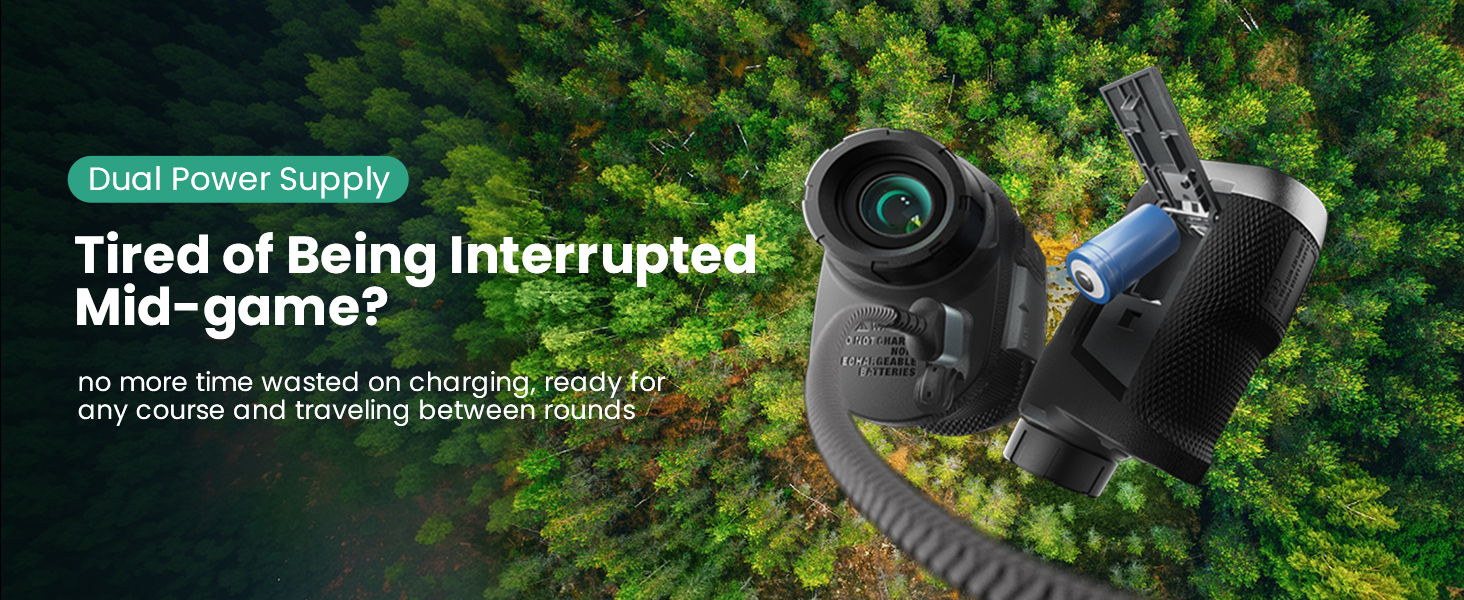
CR2 vs. rechargeable: pick your trade-off
|
Battery Type
|
Pros
|
Cons
|
Best For
|
|---|---|---|---|
|
CR2 lithium (single-use)
|
3-5 year shelf life, works in cold, instantly swappable
|
Costs $1.50-3 per round if you play 60+ times a year
|
Occasional players, tournament play, travel
|
|
Built-in Li-ion (USB-C rechargeable)
|
Cheaper long-term, no battery run, better for the planet
|
Dies in extreme cold, can't swap on course, capacity drops 20% after 2-3 years
|
Frequent players, eco-conscious, predictable routines
|
Most 2026 mid-to-high-end rangefinders (GenePro G1, Bushnell Tour V7, Garmin Z30) ship with built-in rechargeable batteries. Lower-priced and tournament-legal models (some PF-series, Nikon Coolshot Stabilized) still use CR2.
The 3 settings that double your battery life
Most rangefinders have these in the menu; most owners never touch them.
-
Auto-shutoff timing. Default is usually 8-10 seconds of inactivity. Drop it to 5 seconds. You're not staring at the unit between shots anyway — it's in your hand or your cart.
-
Display brightness. Auto-brightness is convenient but burns power on overcast days when the sensor reads "low light" and cranks the LED to full. Manual mode at 60% is plenty for 90% of conditions.
-
Bluetooth/Sync off when you don't need it. If your rangefinder pairs with a phone app (the GenePro G1 and GenePro S1 both do, for firmware updates and shot logging), turn the radio off if you don't use that feature. A sleeping Bluetooth radio can pull 15-20% of total charge over a 5-hour round.
Do all three and you'll see a real jump. In our internal testing on a GenePro G1 set to default out-of-the-box config, the unit ran 27 holes of continuous use. After dropping auto-shutoff to 5s, manual brightness 60%, and Bluetooth off, the same unit ran 42 holes.
Cold weather rules
Below 40°F (4°C), Li-ion batteries lose capacity. This is chemistry, not a defect. If you're playing a January round in Chicago or a March round in Denver:
-
Keep the unit in an inside pocket until you're 30 seconds from needing it
-
Don't leave it in the cart bag overnight
-
Expect 60-70% of the rated hole count
CR2 batteries are far better in cold. If you play in winter a lot, a CR2 model (or a unit that accepts both, which the PF260 Tour does with the optional battery cartridge) is the better tool.
The "always charged" mistake
Leaving the rangefinder plugged in once it's at 100% is mostly fine on 2026-era units — they have charge-management ICs that stop the trickle. But if you're storing it for more than a month, take it off the charger and leave it at 50-70%. Long-term full-charge storage is the #1 cause of Li-ion capacity degradation.
Part 3: Firmware Updates (Most Owners Skip This)
Modern rangefinders are mini-computers. The hardware in 2026 is mostly mature — what changes year-over-year is software. We've shipped four firmware updates to the GenePro G1 in 2025-2026. Each one measurably improved performance.
Why firmware matters
Three concrete things that firmware updates have fixed on MILESEEY units (and these aren't unique to us — every brand has a similar track record):
-
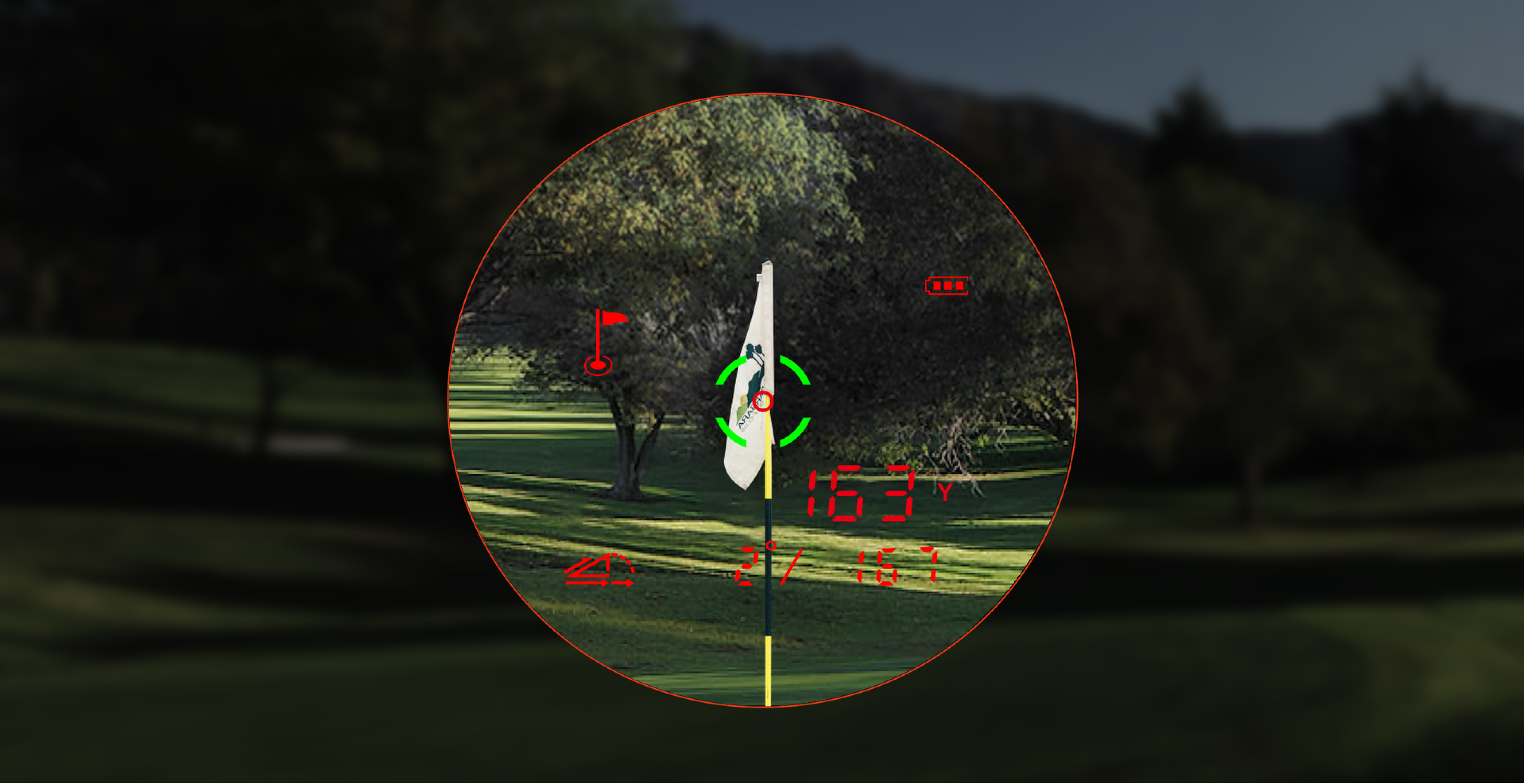
Flag-lock logic. Pin-seeking algorithms get better as the engineers see more field data. The 2026 Q2 update improved the G1's discrimination between the pin and the trees behind it on partially-obscured targets.
-
Slope calculation accuracy. Slope compensation uses a combination of accelerometer, gyroscope, and barometric data. Calibration constants and filter coefficients get refined over time. A 2025 unit running 2026 firmware is a measurably more accurate rangefinder on uphill/downhill shots.
-
Battery management. Display drivers, radio power states, and sleep modes get tuned. The G1's "round 27 to round 42" jump above was partly hardware-tuning of the OLED driver and Bluetooth power states — that came in a firmware update, not a hardware revision.
How to update (5 minutes, once a quarter)
For the GenePro G1 and GenePro S1:
-
Download the MILESEEY app (iOS / Android) and pair the unit over Bluetooth
-
Plug the unit into USB-C power during the update (do not run on battery)
-
Tap "Check for updates" in the app
-
The unit reboots twice. Don't panic — this is normal.
-
Re-test on a known-distance target (a fence post, a range marker) to confirm zero shift
That's it. Do it the night before a round, not 10 minutes before you tee off.
If you own a different brand: check the manufacturer's app or website. Most 2024+ models have a similar workflow. If your rangefinder requires a Windows desktop app and a USB cable, it's an older design — that workflow still works, just clunkier.
When not to update
Skip a firmware update if you have an important tournament in the next 48 hours and you don't have time to re-test. The risk of a bad update bricking the unit is low (<0.1% in our field data), but the cost of "the unit won't turn on at 7:55am Saturday" is your round. Live to fight another day — update the following week.
Part 4: Waterproofing, or "What's an IP Rating Actually Mean?"
Marketing copy says "waterproof." Reality says "splash resistant for a limited time."
The IP code, decoded
You'll see IP54, IPX5, IPX7, or "IP6X" on rangefinder spec sheets. Here's what they mean:
-
IP54 / IP55 — Dust-protected, splash-resistant from any direction. This is the GenePro G1's rating, and it's the practical standard for a 2026 mid-range rangefinder. Rain, brief immersion if you drop it in a puddle, and high-humidity storage are all fine. Submerging it in a pond is not.
-
IPX7 — Submersible to 1 meter for 30 minutes. Real waterproofing. The unit will survive a drop in the water hazard. Few rangefinders at any price have this.
-
IP6X — Dust-tight. The "6" rating. Almost all quality rangefinders have it; the "X" means water wasn't tested. If you see IP6X and no water number, assume the unit is dust-proof but not waterproof.
What "waterproof" warranties actually cover
Read the fine print. Most brands' "waterproof" warranty covers manufacturing defects that cause water ingress under normal use (rain, sweat, brief drops). They don't cover:
-
Pressure-washer exposure (don't clean your rangefinder with a hose)
-
Submersion deeper or longer than the rating
-
Salt water (salt corrodes seals; "waterproof" warranties almost universally exclude marine use)
-
Damage from soap, sunscreen, or insect repellent (these break down rubber seals)
If you play in a region with sudden heavy rain (Florida, Singapore, coastal Japan), an IP54 or higher unit is essential. Below that rating, you should keep the unit in a sealed dry bag between shots and towel it off aggressively at the turn.
The 4 things that actually break the seal
Even on a properly-rated unit, these will eventually let water in:
-
Dropping the unit on a hard surface. A 3-foot drop onto concrete can micro-crack the housing seam. The unit may still work for months until the next heavy rain, then the LCD fogs up internally. That fog is unrecoverable without a factory service.
-
Temperature shock. Moving from a 95°F car to a 60°F air-conditioned clubhouse and back. The thermal cycling slowly degrades the rubber gasket compression. Over years, this matters.
-
Sunscreen and DEET. These chemicals are designed to penetrate skin. They will penetrate rubber seals too. Wipe the housing with a damp cloth if you've handled it with sunscreen on your hands.
-
Cheap aftermarket cases. A tight-fitting silicone case that doesn't allow the unit to "breathe" traps moisture against the housing. If you use a case (the G1 Carry Case is engineered to vent), make sure it's designed to allow airflow.
Part 5: The 5-Minute Monthly Routine
If you do nothing else from this guide, do this:
-
After every round (90 seconds): blow off the lens, wipe with a clean microfiber, return to its case.
-
Every 5 rounds (3 minutes): charge to 100% if below 30%, check for firmware updates, inspect the housing for damage.
-
Every 6 months (30 minutes): full battery calibration (run to empty, charge to 100% without interruption), clean the focus wheel with a dry toothbrush (gunk in the wheel is the second most common support ticket after "lens is dirty"), update firmware even if the app says "no updates available" (sometimes the changelog is silent).
-
Annually: replace the microfiber. Buy 3, rotate them, wash in fragrance-free detergent (no fabric softener — softener residue ruins optics). Replace CR2 batteries at the start of the season even if the old one still works.
FAQ: Rangefinder Care Questions We Hear Every Week
Can I use rubbing alcohol on the lens?
Diluted isopropyl (50/50 with distilled water) is acceptable for oily smudges, but only if your unit has a recent multi-coating. Older single-coated lenses will haze. Test on a corner of the eyepiece first.
My rangefinder fogs up inside after a hot round. Is that covered?
Almost always no — that's thermal cycling, not a defect. The fix is to let the unit acclimate slowly: bag it at the turn, don't take it from a 90°F cart to a 65°F clubhouse and back instantly. The GenePro G1's anti-fog vent (the small dot near the eyepiece) helps but isn't magic.
Should I store my rangefinder in the bag or in the case?
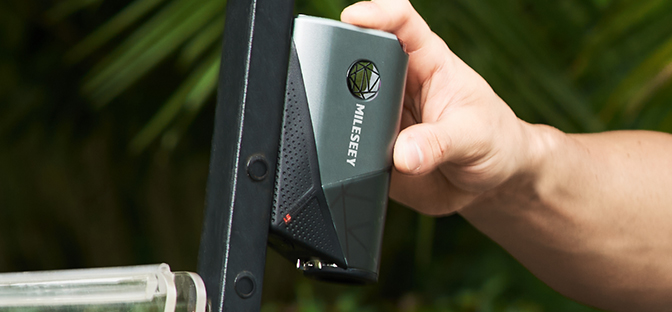
Case, always. The bag has clubs, tees, ball-mark tools, and divot fixers — all of which can scratch a lens or dent a housing. The G1 Magnetic Carry Case is hard-sided and vented; it's worth $39.99.
My readings are suddenly off by 3-5 yards. Is the unit dying?
Probably not. Most "drift" complaints trace to (a) dirty objective lens, (b) a target not on level ground (hitting the pin's top vs. the flagstick base can be 3-4 yards), or (c) very low battery causing inconsistent laser pulse power. Clean the lens, charge to 100%, and re-test on a known-distance target. If it's still off, contact the manufacturer.
The rubber armor is peeling. Is that fixable?
No, and it's mostly cosmetic. But if the underlying plastic is exposed, the IP rating is no longer trustworthy. Time to consider a service or replacement.
The Bottom Line
A $300-500 rangefinder is a 5-year tool if you treat it like one. A $300-500 rangefinder is an 18-month tool if you don't. The care takes less time than you spend re-tying your shoes each round.
If you're shopping for a new unit and care routine matters to you, look for three things in the spec sheet:
-
IP54 or higher (both GenePro S1 and GenePro G1 are IP65)
-
USB-C charging with a charge-level LED (not micro-USB, not "lift the battery cap to see the indicator")
-
Bluetooth + app support for OTA firmware updates (this is the single biggest feature that separates a 2022 unit from a 2026 unit, even with identical hardware)
Take care of the tool, and the tool will take care of your distance for years.
MILESEEY Golf builds rangefinders, GPS units, and laser-measure tools for serious players. The GenePro G1 (laser + gps + slope + Bluetooth, IP54) and GenePro S1 (tournament-legal laser, bluetooth, IP65, echargeable) are the two units most of our readers end up choosing. We're not the only option, just the one we know best.