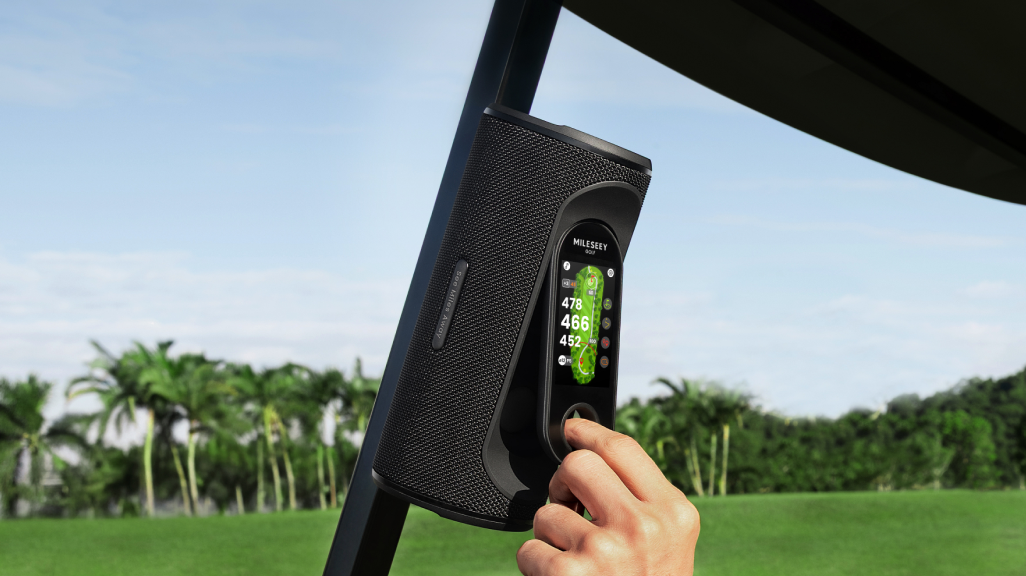
The safest place for a magnetic golf speaker is a clean, flat steel surface that supports the entire magnet, stays within reach, and sits away from cart electronics, wiring, batteries, and moving parts. Mounting strength alone is not enough; surface material, geometry, debris, vibration, and impact risk all affect the real setup.
Use the Surface–Location–Load test
1. Surface: confirm it is steel
Magnets do not attach reliably to plastic, aluminum, fiberglass, or non-magnetic stainless steel. Do not guess from appearance. Test the candidate area gently, and make sure the full magnetic base contacts the surface.
2. Location: protect people and electronics
Choose an area that can be reached while the cart is parked but does not obstruct entry, club access, a windshield, pedal movement, steering, or sight lines. Keep a strong magnet away from the dashboard, built-in GPS, battery system, wiring, phones, watches, cameras, magnetic-stripe cards, compasses, and precision instruments.
-18.png?w=1080&h=606)
MILESEEY’s current support guidance for the GeneSonic Pro recommends a flat metal area away from control electronics and wiring, such as a suitable rear rail. It also advises people with a pacemaker or implanted medical device to consult their doctor or keep at least 50 cm (20 in) away. Follow the latest manufacturer guidance for your device.
3. Load: account for motion
A speaker that holds while parked may experience repeated shocks on curbs, roots, potholes, and steep paths. Mount it flat rather than on an edge. Keep it where a passenger, bag strap, or club cannot knock it. Slow down on rough terrain; the magnet is not a substitute for careful driving.
The 30-second mounting procedure
- Park the cart and turn the speaker off or pause playback.
- Wipe sand, grass, and metal grit from the magnet and cart surface.
- Confirm the surface is flat, magnetic steel and away from electronics.
- Seat the full base squarely; do not slide it across paint.
- Pull gently in the direction of likely movement.
- Check that controls are reachable only while parked.
- Recheck after the first rough section and after anyone moves the speaker.
No-go mounting zones
- Edges, thin brackets, or curved tubing that contacts only part of the magnet.
- Dashboard areas containing screens, GPS hardware, charging ports, or wiring.
- Near lead-acid or lithium battery compartments and high-current cables.
- Where the speaker can fall onto pedals or into a passenger’s path.
- Where the sound fires directly toward another group or nearby homes.
- Any surface prohibited by the cart owner or course.
Editorial simulation: a speaker that “felt secure”
This is a hypothetical scenario, not a drop test. A speaker is attached to a narrow curved roof support. It resists a light downward pull, but only one side of the base touches. On a rough downhill path, sideways vibration rotates the unit and a bag strap clips it.
The failure began at setup, not at the bump. A flat rear rail with full contact, no strap traffic, and a tug test in multiple directions would have reduced the risk. If no suitable surface exists, use a manufacturer-approved mechanical mount or carry the speaker—do not improvise.
Control sound as carefully as the mount
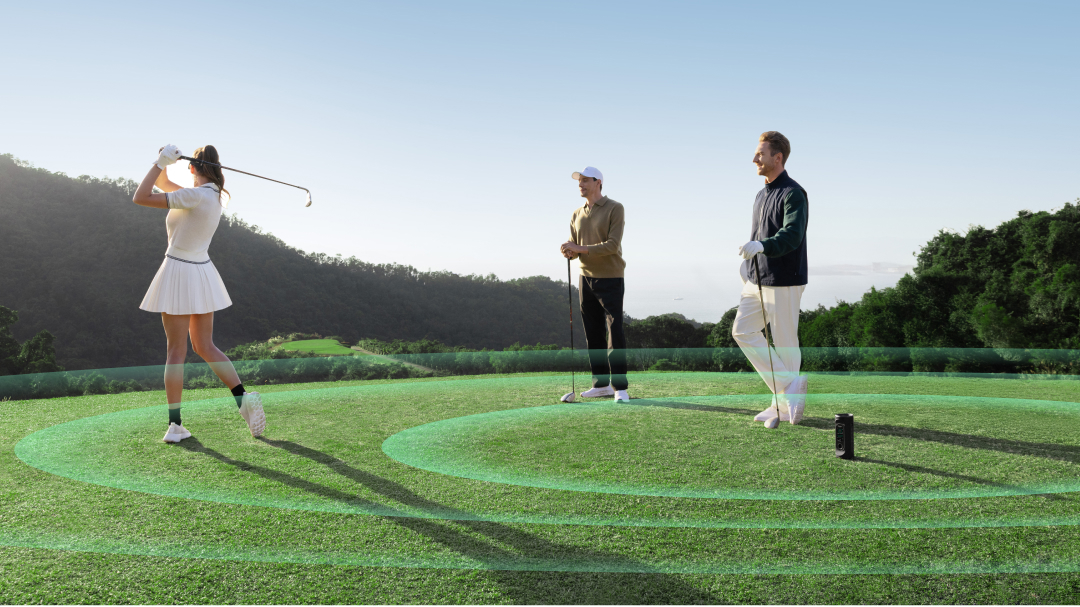
USGA guidance allows background audio in many situations but requires consideration for others, and a committee may restrict it. Ask your group before playing music. Keep volume inside your cart’s social bubble, pause near another player’s stroke, and lower it near tees, greens, the clubhouse, and property boundaries.
Physical pause and volume buttons matter because etiquette often requires a response in seconds. The existing guide to modern golf etiquette provides more context.
Care after the round
Lift rather than drag the speaker to protect paint and the magnetic base. Remove grit with a soft, dry cloth. Inspect the housing and contact surface after an impact. Store the device away from magnetic-stripe cards and sensitive electronics. Do not charge a wet device or use chemical cleaners unless the current manual specifically permits it.
When magnetic mounting is the wrong solution
Skip it when the cart lacks a safe steel surface, the course prohibits attached accessories, someone with an implanted medical device cannot maintain the recommended separation, or the device would sit near critical electronics. A clip, cup-holder mount, bag pocket, or handheld GPS may be safer.
Buying checklist
- Base makes full contact on the carts you normally use.
- Controls can be operated quickly while parked.
- Manufacturer publishes magnet and medical-device safety guidance.
- Housing and ports are protected for normal golf weather.
- Speaker can be removed without scraping paint.
- GPS or controller remains useful away from the cart if needed.
Use the complete golf speaker buying guide for the wider purchase decision. If you often leave the cart, compare a GPS speaker with a handheld GPS, then review the current formats in MILESEEY’s golf GPS collection. GeneSonic Pro’s current mounting and safety instructions are available on its official support page.
For wet-weather and charging limits, use the golf speaker battery and waterproof checklist.