A good golf speaker should do more than fill a cart with sound. It should fit the way you play: walking or riding, checking yardages by voice or screen, playing alone or with a group, and finishing a round without another device to charge or protect.
Our recommendation is simple: choose the workflow before the wattage. A powerful speaker that is awkward to mount, hard to control, or dependent on a phone for every golf function creates more friction than it removes. Start with six decisions—GPS, controls, mounting, sound, battery, and weather protection—then compare products.
First, decide what job the speaker must do
“Golf speaker” now describes several different products. A portable Bluetooth speaker only plays audio. A magnetic golf cart speaker adds a mounting system. A GPS golf speaker can provide course distances, and some models add a screen, scoring, or a detachable GPS unit.
Those categories are not automatically better or worse. They solve different problems:
- Choose a basic Bluetooth speaker if music is the only job and you already like your watch, laser, or phone app.
- Choose a magnetic golf speaker if fast cart mounting and removal matter more than golf data.
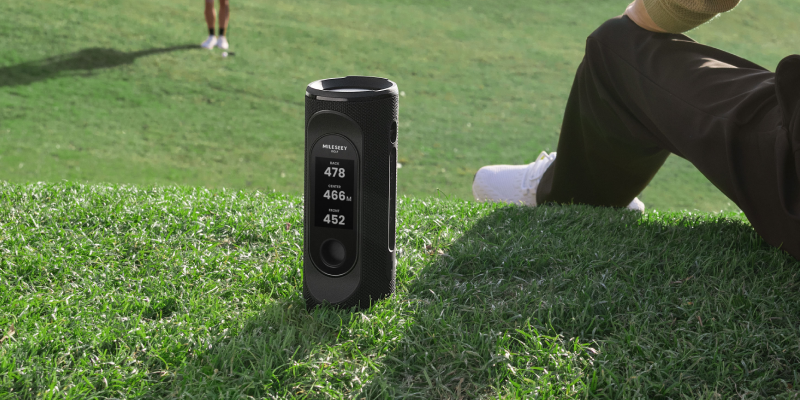
- Choose a GPS golf speaker if you want audible yardages and fewer separate devices.
- Choose a detachable or handheld GPS system if you ride but regularly walk to a ball away from the cart.
If you are new to the category, start with our guide to how a golf GPS speaker works. It explains what comes from GPS, what still comes from your phone, and what happens when cellular service is weak.
The Round-Fit Matrix
|
Your normal round |
Best starting format |
Reason |
Watch-out |
|---|---|---|---|
|
Mostly walking |
Compact handheld GPS or light speaker |
Weight and access matter on every hole |
A cart-first mount may be useless |
|
Mostly riding |
Magnetic GPS speaker |
One visible, reachable control point |
Check the cart for a flat steel surface |
|
Cart-path-only conditions |
Detachable GPS or separate handheld |
Yardage can travel with you |
A fixed speaker may stay too far from the ball |
|
Solo practice |
Simple speaker with easy controls |
Music and pacing matter more than group volume |
Do not use audio to influence swing tempo during competition |
|
Regular group golf |
Directional, quickly adjustable speaker |
Fast volume changes protect pace and etiquette |
Ask before playing audio |
1. Choose the GPS workflow, not the longest feature list
A GPS speaker can reduce device switching, but only if its golf controls match your round. Ask four practical questions:
- Can it show or announce front, center, and back distances?
- Does golf GPS work without a live phone connection or paid subscription?
- Can you carry the GPS information away from the cart?
- Can you update course maps and firmware without turning setup into a weekly chore?
A screen is useful when you want hazard context, green shape, or scoring. Voice is useful when you want one quick number without stopping. Neither is universally superior. A rider facing a blind approach may value a map; a player who already knows the course may prefer a spoken center distance.
Before assuming the phone must stay connected, check which GPS speaker functions can work without a phone or subscription. Course maps, updates, music, and cloud sync may have different requirements.
-10.png?w=2204&h=1240)
The deeper comparison between a GPS speaker and a handheld golf GPS includes a walking-versus-riding decision tree. In MILESEEY’s golf GPS lineup, the GeneSonic Pro, for example, uses a detachable 3-inch GPS touchscreen, while the GeneSonic Go is a lightweight standalone handheld. Those are official product configurations, not a claim that one format fits every golfer.
2. Treat sound quality as coverage, not a contest
Maximum output is easy to compare and easy to misuse. On a golf course, useful sound means speech is intelligible, music remains balanced at moderate volume, controls are reachable, and the speaker does not need to be aimed at another group.
Consider three settings:
- Cart conversation: clarity at low to medium volume matters most.
- Practice area: even coverage matters more than bass.
- Post-round use: higher output can matter, but that is a different environment from the first tee.
GeneSonic Pro’s official specification lists a 40W maximum output and three EQ modes. That tells you its available output and tuning choices; it does not tell you the correct volume for your group. The correct level is the lowest level your group can comfortably hear.
3. Inspect the mounting surface before buying a magnet
A magnetic speaker is only as reliable as the surface beneath it. Cart bodies may include plastic, aluminum, painted steel, tubing, and electronics in different locations. Before buying, identify a flat steel area that is reachable from the seat and away from wiring, screens, batteries, and control modules.
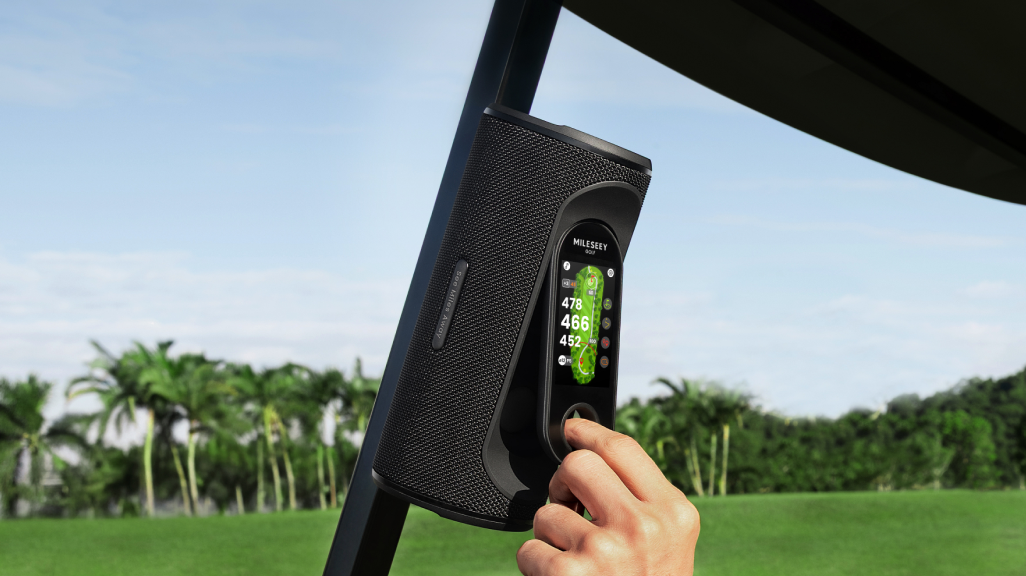
On the course, wipe grit from both contact surfaces, seat the full magnet flat, tug-test it, and recheck it after rough paths. Never treat magnetic hold as permission to mount on an edge or drive aggressively. Our magnetic golf speaker setup guide includes a placement and safety checklist.
This is also where portability matters. A strong mount helps while riding, but a detachable controller or handheld unit may be more useful when the ball is across the fairway. The existing guide to cart-mounted versus handheld GPS explores that specific decision.
4. Read battery claims in the context of volume and screen use
Battery life is not one fixed number. High volume, maximum screen brightness, cold weather, frequent GPS use, wireless instability, and power-bank use can all change runtime. Compare products only when the test condition is stated.
GeneSonic Pro’s current official support specification lists approximately 15 hours in Golf Mode at 50% volume and about 6 hours at 100% volume, with separate batteries for the speaker and handheld. Those figures illustrate why the condition matters: the same device can have very different runtime depending on output. Build margin for a slow round, travel time, and battery aging instead of buying to the exact length of an ideal four-hour round.
Use the battery and waterproof buyer’s checklist to compare runtime claims on equal terms.
5. Understand what an IP rating does—and does not—promise
IEC 60529 is the framework behind IP Codes. The first digit describes protection against solid objects; the second describes water ingress under defined test conditions. An IP67 product is designed for dust protection and a specified temporary immersion test, but the rating is not a promise against salt water, chemical cleaners, high-pressure jets, open charging ports, impact damage, or every real-world accident.
For golf, the useful question is not simply “Is it waterproof?” Ask whether ports are sealed, whether the device can be cleaned without chemicals, and what the manufacturer says to do after wet use. MILESEEY lists both the GeneSonic Pro speaker and handheld as IP67. Follow the current manual and support guidance, especially around charging.
For a closer explanation of limits, read what IP67 means for golf technology.
6. Make etiquette a hardware requirement
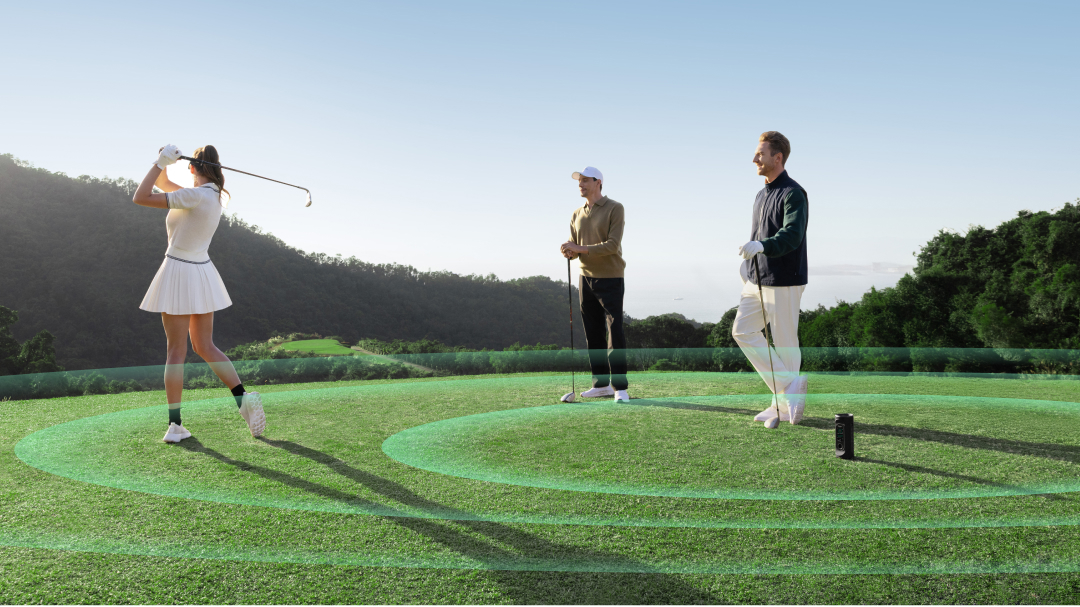
USGA Rule 4.3 allows background music unrelated to the competition, while also requiring consideration for others; a committee may restrict audio, and music may not be used to eliminate distractions or help with swing tempo. Course policy and group preference still matter.
A course-friendly speaker should make good behavior easy. Look for physical volume controls, quick pause, clear status, and positioning that directs sound toward your cart. Ask your group before starting music, pause near another player’s stroke, and lower volume around tees, greens, the clubhouse, and neighboring property.
The fuller discussion of modern golf speaker etiquette is worth reading before your first group round.
Editorial simulation: two golfers, two correct choices
This is a hypothetical scenario, not a product test.
Alex rides 90% of the time, often plays cart-path-only after rain, wants music, and dislikes checking a phone. A magnetic GPS speaker with a detachable screen fits because the main unit stays on the cart while the yardage display can travel to the ball. Alex should prioritize a flat mounting location, independent GPS operation, fast volume control, and separate battery status for the speaker and handheld.
Jordan walks, already owns a GPS watch, and only wants quiet music during solo practice. A compact Bluetooth speaker may be the better choice. Paying for duplicate GPS features would add weight and setup without solving a new problem.
The lesson is not that an all-in-one device always wins. Integration is valuable only when it replaces steps you actually take.
The 60-second pre-round setup
- Confirm the course allows audio and ask your playing partners.
- Check speaker and GPS battery separately if the system has two batteries.
- Mount on a clean, flat steel surface away from cart electronics; perform a tug test.
- Load the course and confirm the correct tee.
- Set volume while parked, then lower it one step.
- Know how to pause audio and detach the GPS before the first hole.
When a golf GPS speaker is the wrong choice
Do not buy one simply because it combines features. It may be the wrong tool if you walk every round, your club prohibits speakers, your usual carts lack a safe steel mounting surface, you already prefer a watch and earbuds for practice, or you need exact line-of-sight pin distance from a golf rangefinder. A simpler device can be the more professional choice when it reduces distraction.
Final buying checklist
- Does the form factor match walking, riding, and cart-path-only days?
- Does GPS work the way you expect without a phone or subscription?
- Are voice, screen, and controls useful at normal playing speed?
- Is there a safe, flat mounting location on the carts you use?
- Are battery claims stated with volume and screen conditions?
- Is the IP rating supported by clear care instructions?
- Can you pause or lower audio immediately?
- Are product links, course coverage, and support available in your market?
Where MILESEEY fits
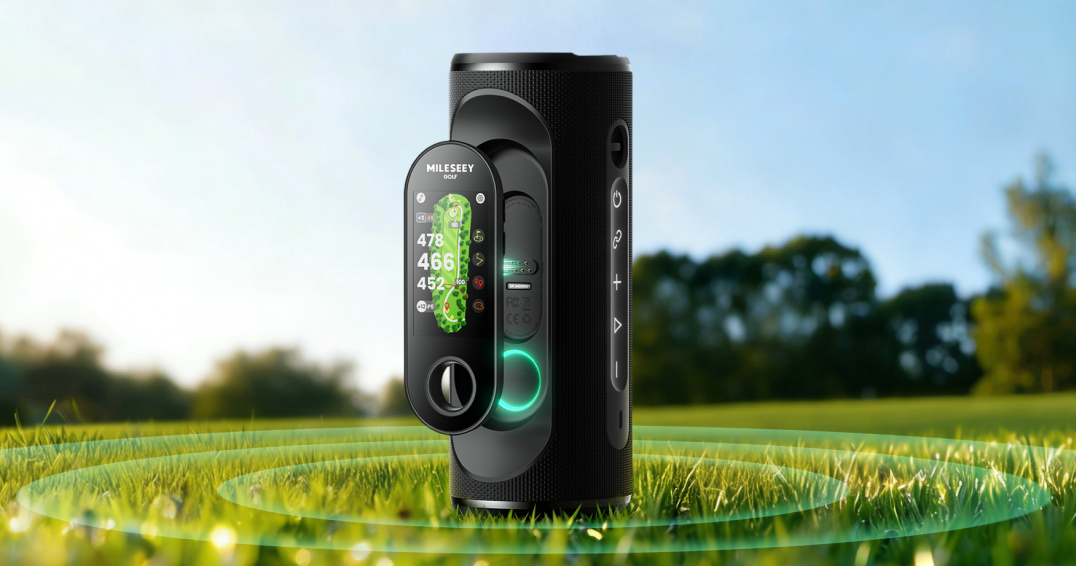
If your checklist points to an integrated cart-and-handheld setup, review the GeneSonic Pro official specifications. It combines a magnetic speaker with a detachable 3-inch GPS touchscreen, front/center/back distances, and 43,000+ preloaded course maps. If music is not essential and low carry weight matters more, compare the GeneSonic Go handheld GPS. Confirm current price, availability, course coverage, and support on the US product pages before purchasing.
Frequently asked questions
Is a golf GPS speaker better than a rangefinder?
Not universally. GPS is fast for mapped front, center, and back distances, while a laser is useful for a line-of-sight target. Choose based on the decisions you make most often; some golfers use both.
Can a golf speaker work without cellular service?
Music downloaded to a phone can play without cellular service, and some GPS speakers store course maps on the device. The exact behavior varies, so confirm whether initial setup, map updates, or golf mode requires a phone connection.
Are golf speakers allowed during a round?
Background audio may be allowed under the Rules of Golf, but course policy, committee rules, purpose, and consideration for others apply. Ask the course and your group, and never use audio to assist swing tempo or eliminate distractions in competition.